Shop on Lazada
Synology products
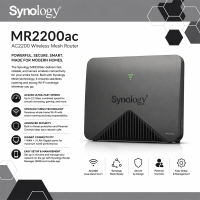
Synology Mesh Router MR2200ac with 2 years Local Warranty
₱11,988.00
Buy on Lazada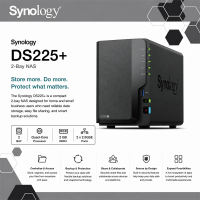
Synology DS225+ 2 Bay DiskStation® NAS (Diskless) with 3 years Local Warranty
₱23,499.00₱27,588.00
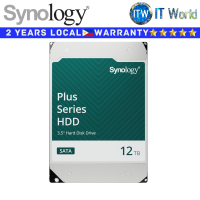
Itw | Synology Hard Drive HDD Plus Series HAT3310 12TB 3.5″ 7200RPM SATA 6Gb/s (SY-HAT3310-12T)
₱38,999.00
Buy on Lazada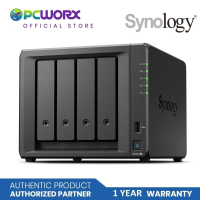
Synology DS925+ 4GB 4-Bay NAS | Synology 4bay NAS | Storage NAS | Synology NAS
₱47,679.00₱57,214.00
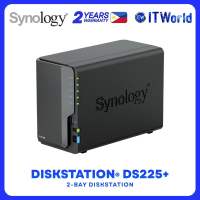
Synology DiskStation DS225+ NAS 2-Bay Celeron 2.7GHz 2GB DDR4 LAN Storage itw
₱22,999.00
Buy on Lazada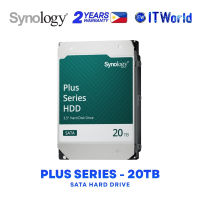
Synology HAT3320 Plus Series 20TB 3.5″ SATA HDD 7200RPM 295MB/s itw
₱55,999.00
Buy on Lazada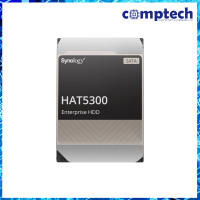
HAT5300 Series 3.5” SATA HDD
₱53,470.00
Buy on Lazada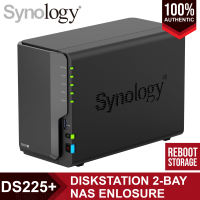
Synology DiskStation DS225+ 2-Bay NAS Enclosure Network Attached Storage
₱22,499.00₱40,000.00
About Synology
Company Profile
| Category | Information |
|---|---|
| Company Name | Synology Inc. |
| Native Name | 群暉科技股份有限公司 |
| Founded | January 2000 |
| Headquarters | Banqiao District, New Taipei City, Taiwan |
| Industry | Network Storage, Data Management, Cloud Computing |
| Type | Private Company |
| Founders | Cheen Liao and Philip Wong |
| CEO | Vic Hsu |
| Area Served | Worldwide |
| Main Business | NAS, Backup, Surveillance, Networking, Private Cloud, Data Protection |
History
Synology was founded in 2000 by engineers Cheen Liao and Philip Wong in Taiwan. The company’s original goal was to create simple yet powerful storage solutions for businesses and home users. Instead of focusing only on hardware performance, Synology invested heavily in software development, believing that storage devices should function like complete servers rather than simple hard drives. This software-first philosophy eventually became one of Synology’s biggest competitive advantages. Today, Synology products are sold worldwide through distributors, system integrators, retailers, and online channels. The company reports more than 13 million installations globally and works with tens of thousands of channel partners. [3]
Mission
Core Product Categories
1. NAS (Network Attached Storage)
Synology is most famous for its NAS devices. A NAS is essentially a dedicated computer designed to store files and provide them over a network. Popular product families include:
-
DiskStation (DS) – Desktop NAS
-
RackStation (RS) – Rack-mounted NAS
-
FlashStation (FS) – All-flash enterprise storage
-
BeeStation – Simplified personal storage
-
Expansion Units – Storage expansion devices
These systems support RAID, file sharing, virtualization, backup, and multimedia applications. [5]
2. DiskStation Manager (DSM)
DSM (DiskStation Manager) is Synology’s proprietary operating system. It is widely regarded as one of the easiest NAS operating systems to use. Key features include:
-
Web-based desktop interface
-
Multi-user management
-
Package Center
-
Docker containers
-
Virtual machines
-
File sharing
-
Snapshot management
-
Backup tools
-
Security controls
3. Backup Solutions
Synology provides comprehensive backup software, including:
-
Active Backup for Business
-
Hyper Backup
-
Snapshot Replication
-
USB Backup
-
Cloud Sync
These tools support backup of Windows PCs, macOS, Linux, VMware, Hyper-V, Microsoft 365, Google Workspace, servers, and entire NAS systems. [6]
4. Private Cloud
Synology offers private cloud services that let organizations host their own data rather than relying entirely on public cloud providers. Products include:
-
Synology Drive
-
Synology Office
-
Synology Photos
-
Synology Chat
-
Synology Calendar
-
Synology MailPlus
Together they provide alternatives to services such as Google Drive, Dropbox, Microsoft 365, and Slack while keeping data under the organization’s control.
5. Surveillance
Synology also develops video surveillance solutions. Its Surveillance Station software supports thousands of IP camera models and includes features such as:
-
Live monitoring
-
Recording
-
Motion detection
-
AI-assisted analytics (on supported hardware)
-
Centralized camera management
6. Networking
Although primarily known for storage, Synology also produces networking equipment, including:
-
Wi-Fi routers
-
Mesh networking systems
-
VPN solutions
-
Firewall features
-
Traffic monitoring
Examples include the RT and WR series.
7. Synology C2 Cloud
Synology C2 is the company’s cloud platform. Services include:
-
Cloud Backup
-
Cloud Storage
-
Password Manager
-
Identity Management
-
Secure file sharing
-
Disaster recovery
It complements on-premises NAS deployments with cloud capabilities. [8]
Software Ecosystem
Synology’s ecosystem includes applications for:
-
File management
-
Backup
-
Photos
-
Video streaming
-
Music streaming
-
Notes
-
Office productivity
-
Virtualization
-
Docker
-
Database hosting
-
Git servers
-
Web hosting
-
VPN
-
DNS
-
Mail servers
-
Security monitoring
This broad software platform is one reason Synology is often described as providing more than just storage hardware.
Target Customers
Synology serves a wide range of users:
Home Users
-
Photo storage
-
Media streaming
-
Personal backups
-
Home cloud
Content Creators
-
Video editing
-
Photography workflows
-
Shared project storage
Small Businesses
-
File servers
-
Office collaboration
-
Backup
-
Remote access
Enterprises
-
Virtualization
-
High-availability storage
-
Surveillance
-
Disaster recovery
-
Data protection
Competitive Advantages
Synology is known for:
-
Excellent software experience
-
User-friendly interface
-
Long software support lifecycle
-
Strong backup ecosystem
-
Reliable hardware
-
Extensive documentation
-
Large application ecosystem
-
Active user community
Main Competitors
Synology competes with several storage and networking vendors, including:
-
QNAP Systems
-
ASUSTOR
-
TerraMaster
-
Western Digital
-
Seagate Technology
-
TrueNAS
Global Presence
Synology operates internationally with regional offices in areas including:
-
Taiwan
-
United States
-
United Kingdom
-
Germany
-
France
-
Japan
-
China
Its products are localized into multiple languages and distributed worldwide. [9]
Reputation
Synology has earned a strong reputation for reliable NAS hardware, a polished software experience, frequent DSM updates, comprehensive backup capabilities, and ease of deployment for small and medium-sized organizations. The company has also faced discussion within the NAS community over storage drive compatibility policies for some newer models, illustrating the balance it seeks between validated hardware support and user flexibility. [10]
Key Technologies
Synology products commonly support:
-
RAID
-
Btrfs
-
ext4
-
Snapshots
-
SSD caching
-
Encryption
-
Docker
-
Virtual machines
-
LDAP
-
Active Directory integration
-
SMB, NFS, FTP, WebDAV
-
iSCSI
-
High Availability
-
Hybrid cloud
Company Philosophy
Synology emphasizes data security, reliability, simplicity, innovation, long-term software support, and seamless integration between hardware, software, and cloud services. [11]