Shop on Lazada
Letsview products
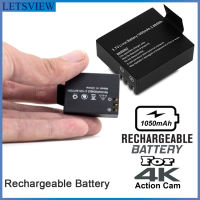
Letsview 3.7V Li-ion Replacement Battery 1050mAh Sports Action Camera Battery/A7 Action Cam HD 1080P Action Camera
₱239.00₱1,099.00

Letsview Aneroid Sphygmomanometer Blood Pressure Measure Device Kit Cuff Stethoscope BP Monitor
₱699.00₱999.00

Letsview ST180/VC3266L+/XL830L/DT830D Digital Clamp Multimeter Resistance ohm Tester AC DC Clamp Am0meter Voltmeter
₱439.00₱1,099.00

LETSVIEW Ring Box With LED Light Rings Velvet Jewelry Case LED Light Ring Box Jewelry Boxes For Ring
₱169.00₱393.00

BUNDLE Letsview Digital Thermometer with Beeper / Digital Infrared Thermometer w/ Portable Fingertip Oximeter
₱398.00₱799.00
(VARIATION) VC3266L+/ST201-ST180 Letsview Digital Multimeter Multi Tester Manual-Ranging Multi Tester
₱439.00₱599.00
(BUNDLE) Letsview Digital Infrared Thermometer WITH Portable Finger Pulse Oximeter LED Display Digital Finger Oximeter
₱378.00₱1,299.00

Letsview AC Voltage Detector AC 12V-1000V Multifunctional Voltage Detector Pen Test Electric Tester (Yellow)
₱239.00₱399.00
About Letsview
Overview
LetsView is a cross-platform screen mirroring and wireless display software brand that enables users to share and control screens between smartphones, tablets, computers, and TVs. It is designed for personal, educational, and business use, allowing devices running different operating systems to connect without cables. The platform supports Windows, macOS, Android, iOS, and compatible smart TVs, making it a versatile solution for presentations, online teaching, technical support, entertainment, and collaboration. 1
- Brand Name: LetsView
- Industry: Screen Mirroring and Wireless Display Software
- Company: WANGXU TECHNOLOGY (HK) CO., LIMITED (with operations under Shenzhen Wangxu Technology Co., Ltd. and affiliates) 1
- Product Category: Screen mirroring, screen casting, remote display, SDK solutions
- Supported Platforms: Windows, macOS, Android, iOS, Smart TV
- Languages Supported: 18+ languages
- Availability: Worldwide
- Official Website: letsview.com
History
LetsView was developed by WANGXU TECHNOLOGY (HK) CO., LIMITED, a company that has specialized in screen mirroring technology for nearly a decade. Before launching LetsView as an independent consumer brand, the company primarily provided screen mirroring technologies and solutions for third-party products.
As wireless display technologies became more widely adopted in education, remote work, and digital entertainment, the company launched LetsView to provide a free and user-friendly cross-platform screen sharing solution. Today, the software is available in dozens of countries and is supported by team members located across China, the United Kingdom, Germany, Japan, and other regions. 1
Mission
LetsView states that its mission is:
“Mirror to Draw People Closer.”
The company emphasizes making screen sharing more interactive and accessible rather than treating it as purely a technical function. 1
Vision
LetsView’s vision is:
“Where there is a screen, there is LetsView.” 1
Core Values
According to the company, its core values are:
- Simplicity
- Excellence
- Empathy 1
Products
LetsView Screen Mirroring
The flagship product enables users to wirelessly mirror screens between different devices.
Major capabilities include:
- Phone-to-PC mirroring
- Phone-to-TV casting
- PC-to-phone display
- Computer-to-computer mirroring
- Wireless presentation
- Remote screen sharing
- Whiteboard annotation
- Screen recording
- Screenshot capture
- Full-screen display
- Landscape and portrait support
- PIN code and QR code connection
- AirPlay-compatible discovery
- Miracast-style wireless display on supported hardware 1
LetsView SDK
LetsView also provides a software development kit (SDK) for businesses and developers that wish to integrate screen mirroring into their own applications.
The SDK includes support for:
- Screen casting
- Audio and video streaming
- Remote control
- One-to-many display
- Many-to-one display
- Cross-platform integration
- Custom APIs and documentation 1
Features
Key features of LetsView include:
- Wireless screen mirroring
- Cross-platform compatibility
- HD display quality
- Screen recording
- Whiteboard and annotation tools
- Screenshot capture
- Remote presentation
- Classroom teaching support
- Business meeting support
- Live streaming assistance
- Remote technical support
- Device discovery over local networks
- Optional remote connection methods in some versions 2
Supported Platforms
LetsView supports:
- Windows
- macOS
- Android
- iPhone (iOS)
- Smart TVs
- Some web-based services for additional products 1
Common Use Cases
LetsView is used in a variety of scenarios, including:
Education
Teachers use LetsView to:
- Project lessons
- Display mobile applications
- Annotate learning materials
- Conduct hybrid classrooms
Business
Organizations use LetsView for:
- Meetings
- Product demonstrations
- Wireless presentations
- Conference room displays
Entertainment
Consumers use LetsView to:
- Watch videos on larger screens
- Play mobile games on monitors
- Stream gameplay
- Share photos and media
Remote Support
IT professionals use LetsView to:
- Demonstrate settings
- Assist users remotely
- Present troubleshooting steps
- Share device screens during support sessions 2
Technology
LetsView utilizes wireless networking technologies to establish screen-sharing sessions between devices. Depending on the platform and hardware, it can leverage technologies similar to:
- AirPlay-compatible discovery
- Miracast-style wireless display
- QR code pairing
- PIN code authentication
- Local Wi-Fi connections
- Internet-based remote sharing in supported versions 1
Company Goals
According to LetsView, its objectives include:
- Enabling one-click wireless screen mirroring.
- Removing barriers between operating systems, networks, and geographic locations.
- Becoming a preferred screen-sharing solution for education, business, and entertainment. 1
Availability
LetsView is distributed globally and supports users across more than 18 language versions. The software can be downloaded for free from the official website, with additional offerings such as the SDK and business-oriented services available separately. 1
Recognition
LetsView has been featured and reviewed by several technology publications and software review sites for its free cross-platform screen mirroring capabilities. Its official website highlights mentions from outlets including CNET, TheWindowsClub, and Top7Reviews. 1
See Also
- Wireless display
- Screen mirroring
- Screen casting
- Remote collaboration
- Digital presentation software
External Links
- Official Website: letsview.com
- About LetsView: letsview.com 1